Pages

Tuesday, June 30, 2009

mobile-phone-browsers-free-download

BOLT


This is what the BOLT people have to say about their browser:
BOLT is a free downloadable browser that offers an uncompromised browsing experience on even lower-end mobile phones.

Rather than offering a simplified, mini version of the Internet, BOLT provides users with a fast, efficient, feature-rich way to enjoy full PC-style web pages and rich media applications on all levels of mobile devices.

Built on Bitstream's ThunderHawk browsing technology, BOLT is the result of 5+ years experience developing mobile browsers that optimize usability, speed and performance on resource-constrained systems with limited memory, processing power and screen space.


Now, if you are ready, experience lightning fast Internet browsing with streaming video on your mobile phone.

Boltbrowser


* Dual Signed Version
* VeriSign Signed Version
* Thawte Signed Version
* Unsigned Version
Not to forget the
Blackberry specific version


I am new to BOLT. I believe BOLT is also new. We wish them Luck.

What if you need support?
Support is available here.clickhttp://www.boltbrowser.com/support.html
Quick help is available at the http://www.boltbrowser.com/forums/
This is supposed to be the BOLT's physical address:
Bitstream
245 First St - 17FL
Cambridge, MA 02142
US
2
OPERA MINI 3.1

For those whose mobile device does not support OPERAMINI 4.2 try this version.
This is claimed to fast, tiny, powerful web browser
Best is to go to OPERAMINI.COM website and download either 4.2 or 3.1
If you choose to download it from GETJAR (my personal favorite) here is the link.
Download via Wap: Open m.GetJar.com with your mobile -> Quick Download -> enter
Quick Download Code 30827


ABOUT GETJAR


Founded by Ilja Laurs in 2004, GetJar (www.getjar.com/wap.getjar.com) is the world’s most popular mobile application distribution and developer community, with over 200,000 developer and beta-tester accounts.
Downloads in one Week (2009 Jun 15 - 2009 Jun 21): 7,902,528

Source:
1
http://boltbrowser.com/download.html

2
http://www.getjar.com/products/13444/OperaMini

On Fast Track with Dr. Ashok Koparday

Read more On "mobile-phone-browsers-free-download"!

Tuesday, June 9, 2009

how-to-license-your-work

Anything that you post on the internet is your property and you are the copyright owner. How do you state your copyright ownership?

The Licenses

image

1. Attribution


This license lets others distribute, remix, tweak, and build upon your work, even commercially, as long as they credit you for the original creation. This is the most accommodating of licenses offered, in terms of what others can do with your works licensed under Attribution.

View License Deed | View Legal Code
image

2. Attribution Share Alike


This license lets others remix, tweak, and build upon your work even for commercial reasons, as long as they credit you and license their new creations under the identical terms. This license is often compared to open source software licenses. All new works based on yours will carry the same license, so any derivatives will also allow commercial use.

View License Deed | View Legal Code
image

3. Attribution No Derivatives


This license allows for redistribution, commercial and non-commercial, as long as it is passed along unchanged and in whole, with credit to you.

View License Deed | View Legal Code
image

4. Attribution Non-Commercial


This license lets others remix, tweak, and build upon your work non-commercially, and although their new works must also acknowledge you and be non-commercial, they don’t have to license their derivative works on the same terms.

View License Deed | View Legal Code
image

5. Attribution Non-Commercial Share Alike


This license lets others remix, tweak, and build upon your work non-commercially, as long as they credit you and license their new creations under the identical terms. Others can download and redistribute your work just like the by-nc-nd license, but they can also translate, make remixes, and produce new stories based on your work. All new work based on yours will carry the same license, so any derivatives will also be non-commercial in nature.

View License Deed | View Legal Code
image

6. Attribution Non-Commercial No Derivatives


This license is the most restrictive of our six main licenses, allowing redistribution. This license is often called the “free advertising” license because it allows others to download your works and share them with others as long as they mention you and link back to you, but they can’t change them in any way or use them commercially.


FAST OVERVIEW


[1] ATTRIBUTION
You let others copy, distribute, display, and perform your copyrighted work — and derivative works based upon it — but only if they give credit the way you request.

 
[2] SHARE ALIKE
You allow others to distribute derivative works only under a license identical to the license that governs your work.

 
[3] NON COMMERCIAL
You let others copy, distribute, display, and perform your work — and derivative works based upon it — but for noncommercial purposes only.


[4] NO DERIVATIVES
You let others copy, distribute, display, and perform only verbatim copies of your work, not derivative works based upon it.

Source:
http://creativecommons.org/about/licenses

On Fast Track
with

Dr. Ashok Koparday


Read more On "how-to-license-your-work"!

Monday, June 8, 2009

what-feedburner-does-for-your-website

5 SMART USES OF FEEDBURNER (feeds)

Use feedburner to publicize your blog of website


1

Publicize


Here are a few fun, alternative ways to publicize your feed, other than the ways listed above.

1* Headline Animator:

Create and customize an animated banner that cycles through your feed's five most recent items. It's an easy way to promote your content anywhere you can place a snippet of HTML.

2* BuzzBoost:

Do you maintain more than one blog, site, or podcast? BuzzBoost helps you cross-promote your content by repurposing your feed as go-anywhere HTML.

2

Optimize


Enhance and extend your feed with FeedBurner's array of services.

* FeedFlare™: Build “interactivity” into the content you create, making it simple for subscribers to tag, email or share their content with others.

3

Analyze

FeedBurner Stats is our analytics offering for blogs, Web sites podcasts and feeds of all kinds. The service is free with every FeedBurner feed and provides publishers with a comprehensive view of their audience.

4

Monetize


Earn revenue by displaying relevant text and image ads using AdSense for feeds. Learn more.

5

“Troubleshootize”


It's true, some good feeds go bad. Learn how to diagnose and solve the most common problems FeedBurner encounters when working with your original feed. The best part? We also notify you about any issues we discover using our FeedMedic and PodMedic reporting services.


FEEDBURNER has been acquired by google.
You can use your goole id to login.
Source:
http://feedburner.google.com
On Fast Track with Dr. Ashok Koparday And here is the rest of it.

Read more On "what-feedburner-does-for-your-website"!

Monday, January 12, 2009

how-to-password-protect-best-security-10

What other than 'password' do you have as a lock - key function in the World Wild Web? How KeePass is useful for you and me?
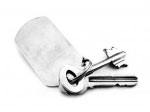

Key Protection against Dictionary Attacks
FACT
You
can't really prevent dictionary and guessing attacks: nothing prevents
an attacker to just try all possible keys and look if the database
decrypts. But what we can do (and KeePass does) is to make it harder:
by adding a constant time factor to the key initialization, with KeePass we can make them as hard as we want.

To generate the final 256-bit key that
is used for the block cipher, KeePass first hashes the user's password
using SHA-256, encrypts the result N times using the Advanced
Encryption Standard
(AES) algorithm (called key transformation rounds
from on now), and then hashes it again using SHA-256. For AES, a random
256-bit key is used, which is stored in the database file. As the AES
transformations aren't pre-computable (key is random), an attacker has
to perform all the encryptions, too, otherwise he cannot try and see if
the current key is correct.


An attacker now needs much more time
to try a key. If he can only try a few hundred keys per second, a
dictionary attack is not practical any more.

By default, KeePass
sets N to 6000 encryption rounds (full encryptions are meant; N has
nothing to do with the internal encryption rounds of AES). This has
been done in order to provide compatibility with the PocketPC version
(PocketPC processors are slower, therefore the key computation takes
longer).


What KeePass does?
KeePass supports protection against guessing and dictionary attacks.

Protect your Password.
If you are using KeePass on PC only, it is highly
recommended to increase the number of key transformation rounds. You
can change the number in the database options dialog. Right of the
field for the rounds, you'll find a button. When clicking this button,
KeePass computes the rounds number that leads to a 1-second delay.
Waiting 1 second at database opening isn't a problem, but for an
attacker of course it is. But, the number can be freely set to a number
of your choice. The button only should give you a rough idea how many
rounds can be computed in 1 second on your computer.

This
protection feature is only useful when using master passwords; key
files are random anyway, there's no need to transform the key file
contents (guessing the key file contents is equally hard to a
brute-force attack on the final key).

KeePass uses
multi-threading to compute these rounds (the master key is split up to
two parts of 128 bits, which is the AES block size). On dual/multi core
processors, the computation can be twice as fast as on a single core
processor. Note the 1-second button in the database settings dialog
always shows the single core rounds number (the dual/multi core
optimization only affects the "real" transformation code, not the
benchmark).


Detailed information about the security of KeePass.


* Database Encryption
* Hashing and Key Derivation
* Random Number Generation
* Protection against Dictionary Attacks
* Process Memory Protection
* Locking the Workspace
* Plugins
* Self-Tests
* References

Key Database Encryption


KeePass database files are encrypted. KeePass encrypts the whole database, i.e. not only your passwords. Your user names, notes, even the entry times and UUIDs, etc. are encrypted, too.


The databases are encrypted using one of the following block ciphers:
Cipher Block Size Key Size
Advanced Encryption Standard (AES / Rijndael) 128 bits 256 bits
Twofish 128 bits 256 bits


These algorithms are well-known, analyzed thoroughly and generally considered to be very secure by the cryptographic community.
KeePass 2.x Only
KeePass 2.x doesn't support Twofish, but additional encryption algorithms are available through plugins.

The block ciphers are used in the CBC (cipher-block chaining) block cipher mode. In CBC mode, plaintext patterns are concealed.


For both algorithms, a 128-bit initialization vector (IV) is generated randomly each time you save the database. This allows multiple databases to be saved using the same key without observable patterns being revealed.

Key Hashing and Key Derivation

In order to generate the 256-bit key for the block ciphers, the Secure Hash Algorithm SHA-256 is used. This algorithm compresses the user key provided by the user (consisting of password and/or key file) to a fixed-size key of 256 bits. This transformation is one-way, i.e. it is computationally infeasible to invert the hash or find a second message that compresses to the same hash.


Please note that the recently discovered attack against SHA-1  doesn't affect the security of SHA-256. SHA-256 is still considered as being secure.


Key Derivation:

If only a password is used (i.e. no key file), the password plus a 128-bit random salt are hashed using SHA-256 to form the final key (but note there is some preprocessing: Protection against Dictionary Attacks). This random salt prevents attacks that are based on pre-computed hashes.

When using both password and key file, the final key is derived as follows: SHA-256(SHA-256(password), key file contents), i.e. the hash of the master password is concatenated with the key file bytes and the resulting byte string is hashed with SHA-256 again. If the key file doesn't contain exactly 32 bytes (256 bits), they are hashed with SHA-256, too, to form a 256-bit key. The formula above then changes to: SHA-256(SHA-256(password), SHA-256(key file contents)).

Binary Random Number Generation


We need to generate several random bytes (for the IV, the master key salt, etc.). For this, several pseudo-random sources are used: current tick count, performance counter, system date/time, mouse cursor position, memory status (free virtual memory, etc.), active window, clipboard owner, various process and thread IDs, various window focus handles (active window, desktop, ...), window message stack, process heap status, process startup information and several system information structures. Additionally, KeePass uses random bytes provided by the system's default CSP RNG.

This pseudo-random data is collected in a random pool. To generate 16 random bytes, the pool is hashed (SHA-256) with a counter to form the final 16 random bytes. The counter is increased after 16 generated bytes. This way, we can efficiently produce as many secure random bytes as we need.

KeePass supports protection against guessing and dictionary attacks.
Source:
Security - KeePass
On Fast Track
with
Dr. Ashok Koparday


Reblog this post [with Zemanta]

Read more On "how-to-password-protect-best-security-10"!

SEXUAL HEALTH EDUCATION

SEXUAL HEALTH EDUCATION
Free Ask Sexologist